Macro data
A macro and economic data dashboard inside your trading terminal.
DeltaForge connects to public economic data sources and puts them next to your positions. Install the connectors you need from the Store inside the app, then build a macroeconomic dashboard or an economic indicators dashboard from the data, combine it in your own panels, or ask your AI agent about it.
Data is fetched on demand and cached locally in an embedded analytics database, so the next query runs at desktop speed instead of waiting on the source API.
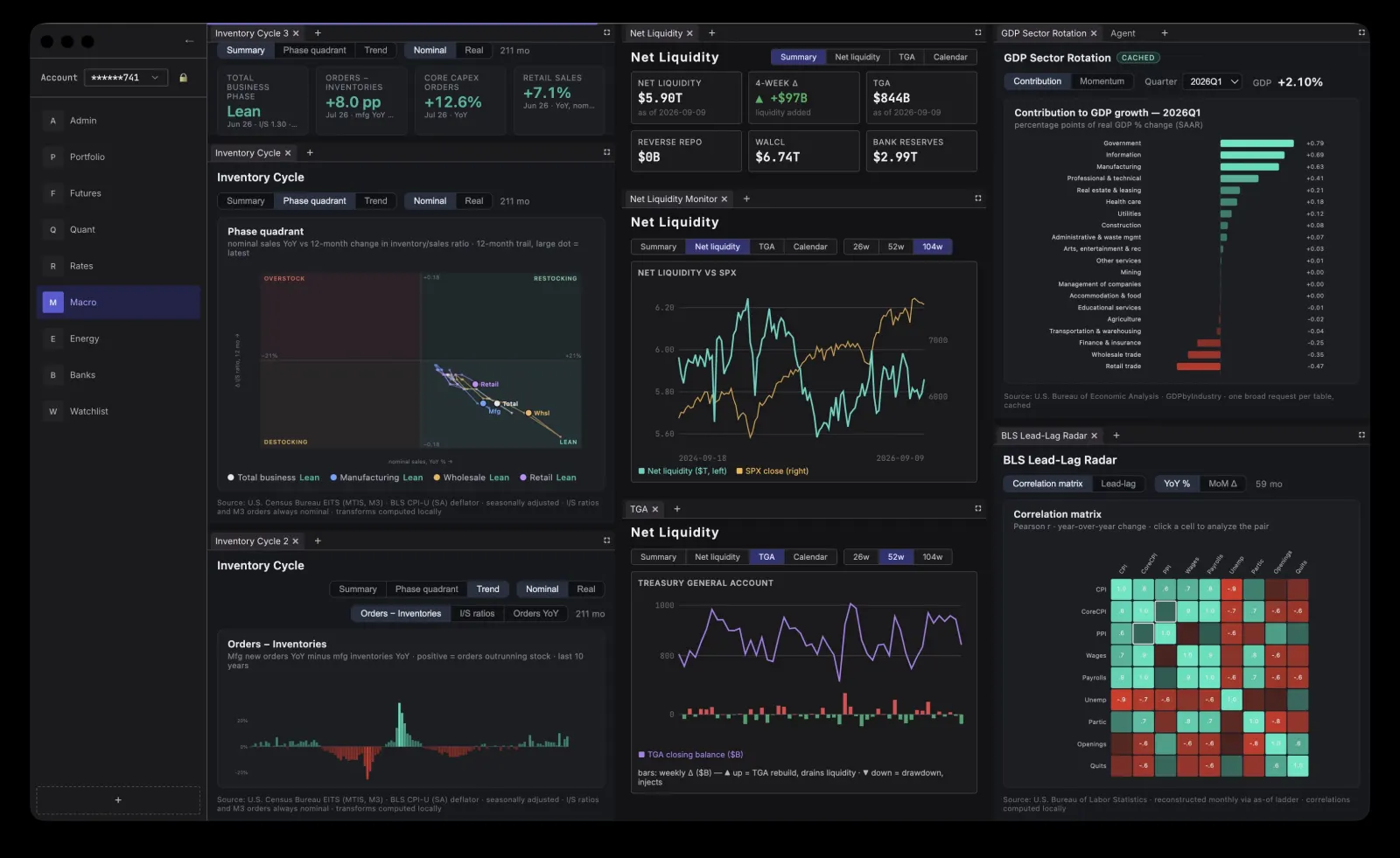
Economic data connectors
- FRED: Federal Reserve Bank of St. Louis economic time series.
- BLS: Bureau of Labor Statistics CPI, PPI, employment, and JOLTS releases.
- BEA: Bureau of Economic Analysis GDP, national accounts, regional, international transactions, and GDP by industry.
- Census EITS: Census Bureau economic indicator time series such as retail sales, manufacturing shipments, and construction.
- Fiscal Data: U.S. Treasury federal debt, exchange rates, and interest rates.
- EIA: Energy Information Administration petroleum, natural gas, electricity, coal, and renewables data.
- FDIC and FFIEC: bank financials, Call Reports, and bank failures.
- SEC EDGAR: company filings, financial statements, and holdings.
- PortWatch: IMF daily port and chokepoint vessel flows and trade activity.
Ask your AI agent about the macro picture
Every economic data connector accepts requests from your AI agent over MCP. Ask for a series, a release, or a comparison and the agent queries the connector directly, then answers or builds a panel from the result.
Related pages
Download the trading terminal for Mac.
DeltaForge downloads for Apple silicon and Intel-based Macs. Add data connectors from the Store inside the app.